Your Personal Meeting Intelligence. Totally private.
Made for iPhone Duo: move from a compact recording view to a spacious library and transcript workspace. The layout adapts to your window while keeping your selected recording and reading context. Enjoy the same flexibility on iPad and Mac. Completely free. Processing runs on your device.
Requires iOS 26.1+, iPadOS 26.1+ or macOS 26.1+ with Apple Intelligence
How It Works
Three simple steps to transform your audio into text
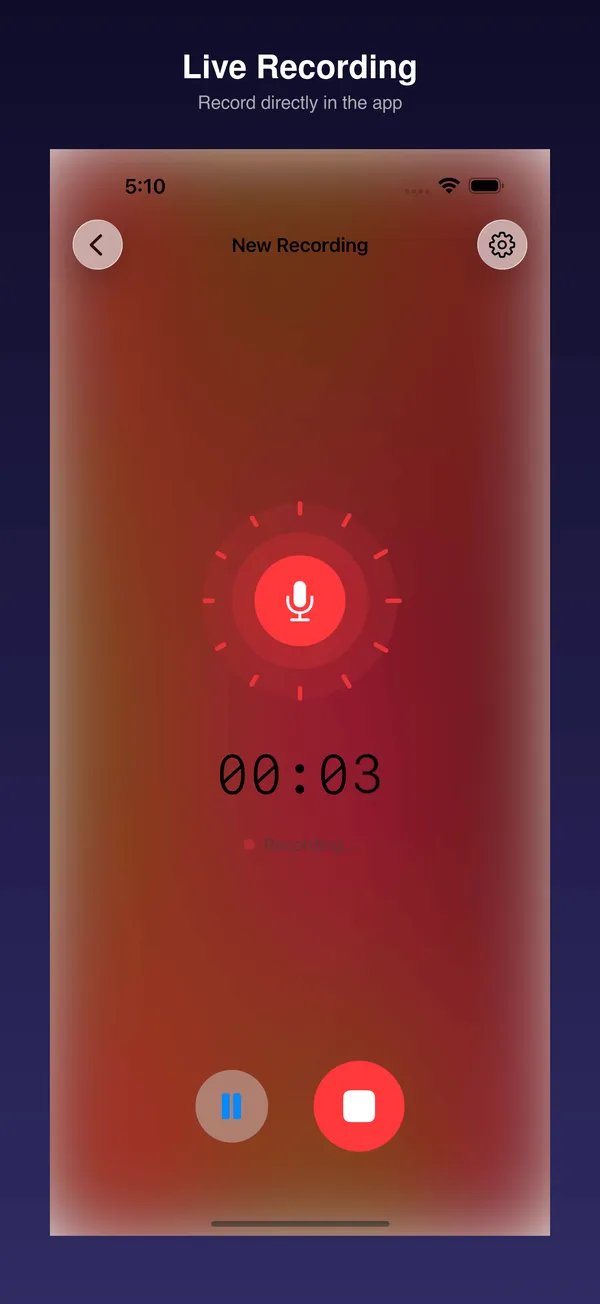
Secure Recording
Record with confidence. Our "Rewind" buffer protects every word, even if your battery dies.
AI Magic
Instant titles, speaker identification, and action items. Your personal meeting secretary.
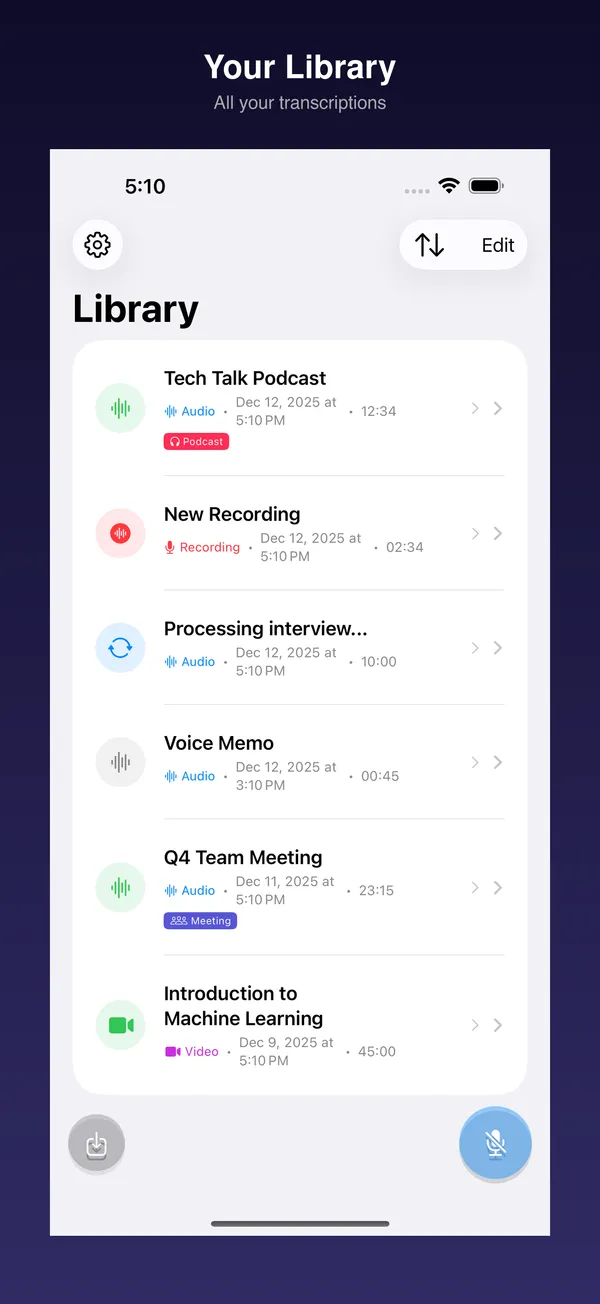
Smart Library
Manage effortlessly. Search everything, edit transcripts, and export to any format.
Who Uses Transkript?
Trusted by professionals, students, and anyone who needs fast, private audio-to-text conversion
Podcasters & Content Creators
Turn your episodes into searchable transcripts and engaging show notes. Create multilingual subtitles for YouTube and social media.
SRT/VTT ExportJournalists & Researchers
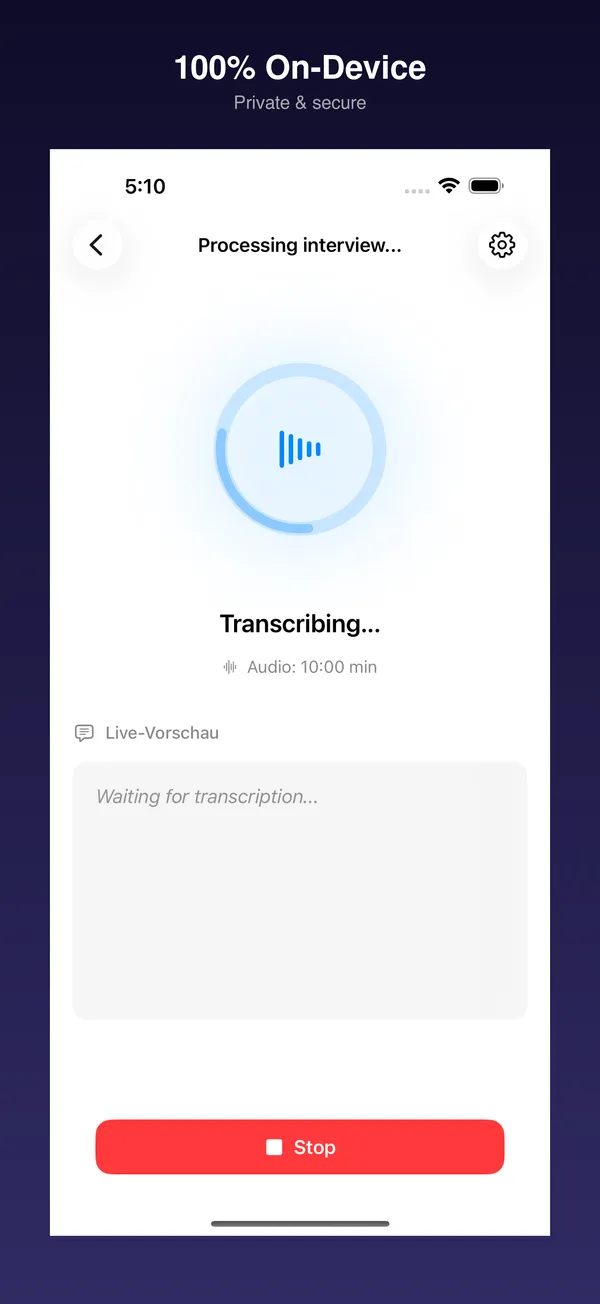
Transcribe sensitive interviews with complete source confidentiality — no cloud servers, no data leaks.
100% OfflineStudents & Academics
Never miss a lecture detail. Record with Voice Memos, then get AI-powered summaries highlighting key concepts.
AI SummariesBusiness Professionals
Document meetings and client calls without cloud privacy concerns. Get executive summaries in seconds.
GDPR CompliantTeachers & Educators
Document parent-teacher conferences. Generate summaries for your records with one click.
One-Click SummaryAccessibility
Full VoiceOver support, Dynamic Type, Read Aloud for summaries, and subtitles for deaf and hard-of-hearing viewers. Designed for everyone.
VoiceOver & SubtitlesPowerful Features
Everything you need to transcribe, summarize, and translate your audio
Crash-Safe Recording
Never lose a recording again. Our "Rewind" buffer and real-time disk saving protect your audio even if your device crashes.
Magic Intelligence
Auto-Titling gives your sessions meaningful names. Action Items are automatically extracted.
Video to Subtitles
Load MP4 or MOV videos, extract audio, and create SRT/VTT subtitles in the original language or translated.
Audio Transcription
Transcribe MP3, M4A, WAV files with word-level timestamps. Perfect for meetings and interviews.
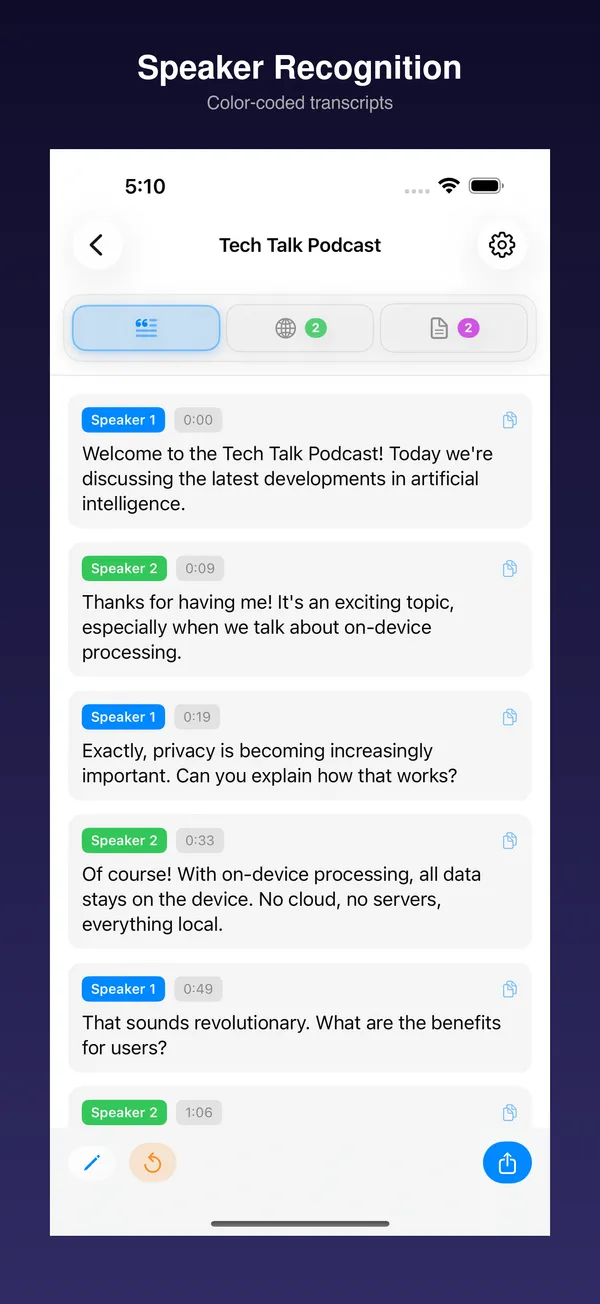
Speaker Recognition
Automatically identify different speakers using FluidAudio. Fast and private diarization.
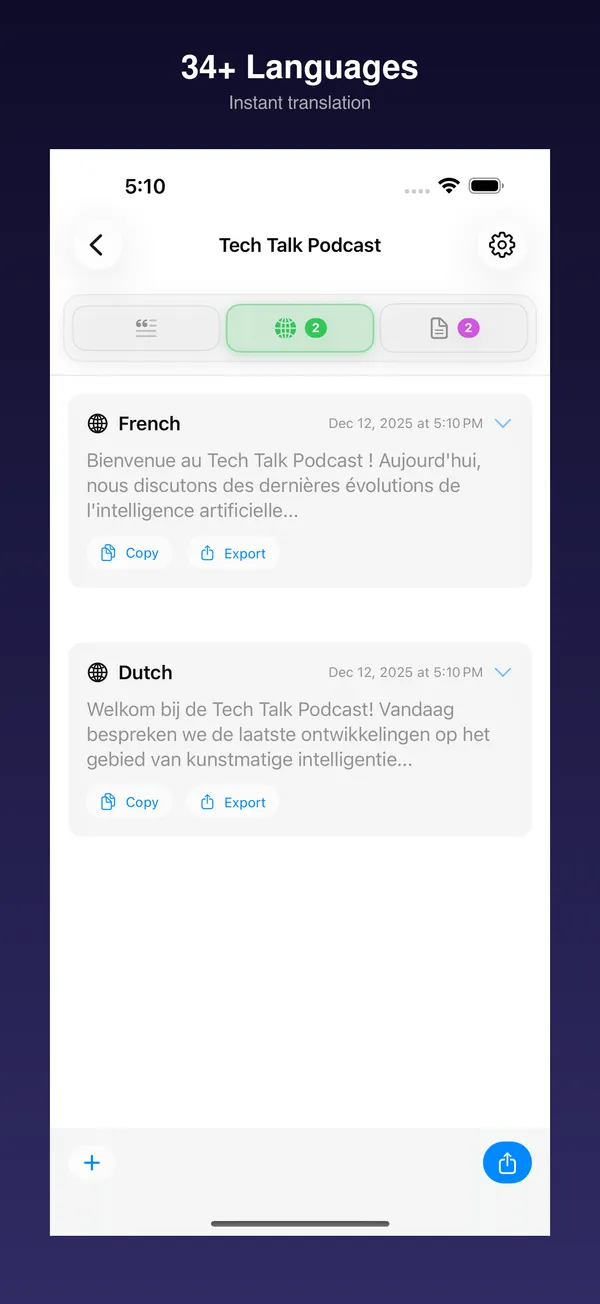
Translation
Translate your transcript while preserving timestamps. Supports 34 languages.
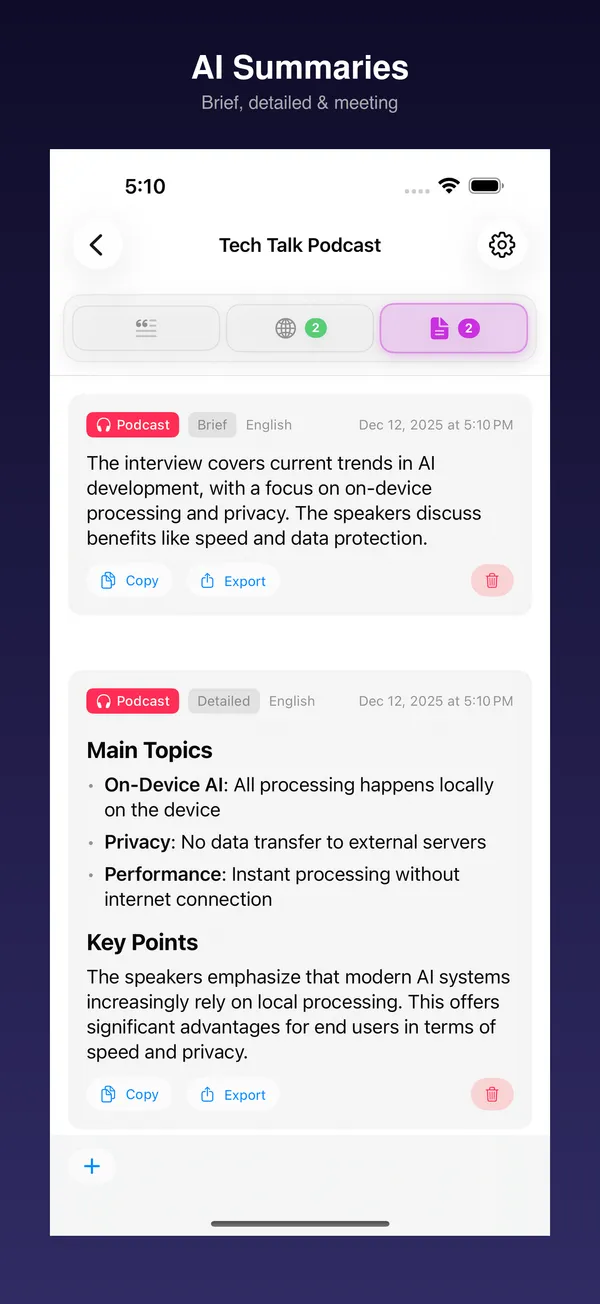
AI Summaries
Generate intelligent summaries of your transcripts in multiple languages.
Control Center Widgets
Quick-launch buttons in iOS Control Center. Start recording or transcription with one tap.
Smart Session Library
Your new command center. Organize recordings, transcripts, summaries, and translations.
Accessible by Design
Full VoiceOver support, Dynamic Type, and Read Aloud for summaries. Built for everyone.
Local processing. Your choice of storage.
Transcription, speaker recognition, translations, and summaries are processed on your device. Models may need an internet connection for download. If you choose iCloud Drive or another synced folder, that provider can upload and sync your saved files.
- No cloud processing
- No account required
- No data collection
- No subscription fees
Supported Languages
Transcribe in major languages, translate to 34+ languages
Ready to Transform Your Audio?
Join thousands of users who trust Transkript for private, on-device transcription

Free Download - No Subscription Required
Requires iOS 26.1+, iPadOS 26.1+ or macOS 26.1+ with Apple Intelligence enabled